• foleo

    Jeff Hawkins Talks About the Foleo

    Palm founder, Jeff Hawkins, spent some time talking about the Foleo with Patrick Seitz of Investor’s Business Daily.

    The Q&A with Hawkins was originally published as a sidebar to a larger article discussing the growing popularity of the “netbook”, a small form factor notebook computer designed to ultra portable providing easy access to the web, email, and writing. Palm chose to cancel the Foleo in September of 2007 to focus on rewriting the aging Palm OS mobile operating systems that powers many of the company’s most popular smartphones, including the consumer-oriented Centro.

    The following is an excerpt from the Investor’s Business Daily interview with Mr. Hawkins:

    “IBD: Why didn’t Palm have the confidence in Foleo to go forward?

    Hawkins: I don’t think that Palm didn’t have confidence in it. Palm has its issues and challenges. At the time, they were in the process of closing this major financing, restructuring deal with Elevation Partners.

    And as part of that deal, they brought in Jon Rubenstein, who’s a great guy. He was at Apple (AAPL) and did all the iPod stuff. He came in basically to take over product stuff, because I really hadn’t been running the product design center at Palm for several years. They came in with a particular strategy that they wanted to pursue at Palm, and that strategy didn’t have room for Foleo.

    It was clear Foleo had technical issues. It was a first-generation product. We’d have to launch it and then do another gen within a year. And that’s a big commitment of people and dollars.

    It was a strategic decision to pursue a different approach. I don’t think they made a mistake. We haven’t seen the outcome of that decision yet. It really was not acrimonious at all. It was just business.

    I’m a little disappointed, only because I loved the product concept. I’d really like to own one. And I’m a believer in it. And I’d love to end my design career at Palm with a success there.

    They may still come back to it. They haven’t totally written it off.

    IBD: So you didn’t get to keep a Foleo?

    Hawkins: Oh, I have one. Oh, yeah, I got to keep one. I have the beta release. The hardware is very reliable. It works great.”

    You can read the full Hawkins Q&A here.

    As many of my long time readers know, I was one of the few people who did get to play with a pre-production Foleo. It really was a great idea. At the end of the day, I didn’t care that it wasn’t running a Linux varient or Microsoft’s Windows XP. I wanted a light-weight device that looked great and offered long battery life with easy access to the web, email, and an office suite. (DataViz provided a Foleo specific version of their award-winning Documents To Go application.)

    However, the Foleo, as originally designed, was not a stand along computer. It needed to be tethered to a Palm OS or Windows Mobile smartphone and, as discussed in the article, the Wind River Linux operating system and core applications were not ready to go live. I’m looking forward to 2009 when Pam OS II/Nova smartphones are shipping because if Palm does decided to do a new Foleo, the Nova opertaing system will likely be the foundation for such a device.

    Read the full Investor’s Business Daily interview

  • astraware,  windows mobile

    Insaniquarium Deluxe by Astraware and PopCap Games

    Astraware(R) and PopCap Games, Inc. are excited to announce the release of one of PopCap’s flagship titles for Palm OS(R) and Windows Mobile(R) smartphones. Insaniquarium DeluxeTM offers hours of frantic aquarium fun as you feed your fish, watch them grow and protect them from alien invaders!

    Insaniquarium Deluxe is the craziest aquarium game ever – tend to your fish and keep them happy and they’ll reward you with precious coins and jewels. Use the money you earn to buy upgrades for your tank or egg parts which hatch lots of different in-tank pets with special powers. These pets can help you feed your fish, collect coins, or even protect against the aliens that will invade your tank and wreak havoc. You can also use the money you earn to buy better weapons to see the aliens off quicker!

    Insaniquarium Deluxe includes 3 fun ways to play:

    • Adventure – keep your fish healthy and protect them from aliens through 4 fun aquarium stages each with multiple levels of mayhem;
    • Time Trial – feed your fish and fight off the alien invaders to make as much money as possible against the clock. A new time trial is unlocked as you complete each stage in Adventure
    • Challenge – once you’ve mastered Adventure, face the ultimate challenge as you feed your fish and try to protect them from ever increasing alien attacks. The challenge ends when the last fish is zapped!

    Insaniquarium Deluxe is available for Palm OS(R) 5 smartphones and PDAs with at least a 320×320 screen, and for smartphones and PDAs running Windows Mobile(R) 2003 and later. For more information, to try and to buy, visit http://www.astraware.com/insaniquariumdlx.

  • resco

    Resco Launches IDGuard for Palm OS Smartphones


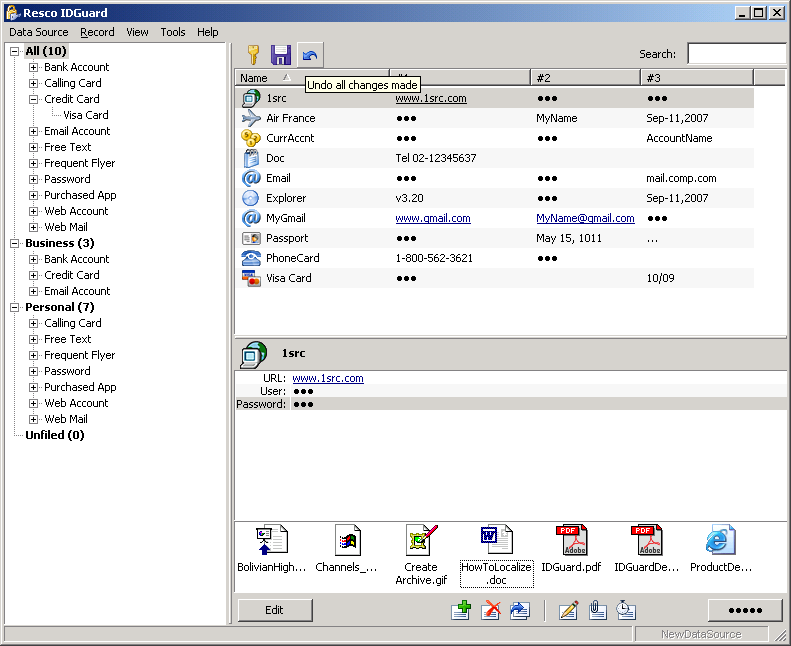
    Resco IDGuard is a brand new Windows solution for protecting sensitive data of any kind – passwords, documents, images etc. The application provides a complete workflow for secure documents and can synchronize effortlessly with the Palm OS® platform.

    Resco, the leading provider of end-user mobile applications and developer tools for the .NET platform, proudly announces the release of the Resco IDGuard – a new security solution for the Windows platform.

    Resco IDGuard was initially implemented for the Palm OS® mobile platform, the Windows release can automatically synchronize its data onto a handheld device running IDGuard for Palm OS via HotSync.

    Resco IDGuard can be used as a classic password manager with a very general data structure:
    Records (PINs, logins, accounts…) can have notes, reminders and attachments and can be structured into the tree of any complexity.

    Unique feature – Document Safe
    Nowadays, every software house has a password manager. But Resco IDGuard does much more:
    it be used to store business documents or private data of any kind.

    Moreover, IDGuard offers complete secure work flow for the common document types, so that the users can safely preview or edit sensitive documents. Secure handling is provided for MS Office documents, PDF, common image types and media files.

    In case of “unsupported” file types, IDGuard provides semi-automatic mode, where the document is opened in its editor and IDGuard reminds the user to close it manually when done editing.

    About Resco IDGuard
    The Windows version is compatible with Windows 2000/XP/Vista, the PDA version requires Palm OS® 5.0+. Both version use the industrial standard in encryption technology to provide the maximum level of security – the AES encryption which is considered safe even by the US government.

    A free 14-day trial can be found at http://www.resco.net/palm/idguard/. IDGuard costs $19.95 USD and covers the license for both the Windows and PDA versions. The application is provided in the English language, Palm OS® German version is distributed via pdassi.de.

    All Resco products are available for immediate download from www.resco.net.

  • astraware,  windows mobile

    Astraware Hot Summer Summer Sale!

    Summer’s here and it’s time for some fun! Whether you’re on vacation, or just want something new to play, Astraware(R) has the solution – the Astraware Hot Summer Sale!

    Starting on 1st August, Astraware is offering 25 games each with at least 25% off the regular price. Several of the games are as low as $9.95 each!

    If you’re looking for action games like Platypus or GTS World Racing, strategy titles like Westward or Tradewinds 2, word games like Bubble Babble, or favorite classics like Astraware Sudoku – they’re all included with special prices for a limited time! The Hot Summer Sale only lasts until midnight on 17th August, so make sure you don’t miss out.

    For all the details and to bag yourself a bargain, visit the Hot Summer Sale page at: http://www.astraware.com/promo/summer08.

  • centro,  treo,  windows mobile

    2 Million Centros, Treo 800w BT Update

    Palm Sells 2 Million Centro Smartphones

    Earlier today, Palm issued a press release stating that the smartphone maker had sold it’s 2 millionth Centro smartphone.

    “Consumers are ready to do more on their mobile phone, and Centro has struck a chord around the world,” said Brodie Keast, senior vice president of marketing for Palm, Inc. “Centro has everything a person needs to stay connected with everyone who is important to them — and at a price point and size that make smartphones more attractive to a much wider audience.”

    The same press release continues:

    “Now available from almost 20 carriers worldwide, including the three largest carriers in the United States, Centro has reached more young adults and women, as well as a broader range of household income, than any prior Palm smartphone. It offers customers an affordable, simple and fun option for staying connected and doing more with their mobile phones.”

    With the consumer-oriented Centro smartphone, the ease of use of the Palm OS, stylish design, and a great price point come together to create a solution that does delight the first smartphone customers.

    Palm Releases a Bluetooth Voice Dialing Update

    Owners of the recently released Windows Mobile Treo 800w are now able to install a small patch that will allow them to use hands-free voice dialing commands over a Bluetooth headset.

    The 131kb patch can be install from your desktop Windows XP or Vista computer, over-the-air directly to your Treo 800w, or via a microSD card. The installation and download links can be found on the Sprint Treo 800w downloads page.

    Since this is a software patch, and not a full flash ROM upgrade, if you hard reset your Treo 800w, you will need to reapply this patch. Furthermore, this update is only intended for Sprint Treo 800w smartphones running the TREO800w-1.03-SPNT software image.

  • 1src

    Up In the Air

    I have published this week’s 1SRC Editorial; “Up In the Air.”

    Back in June I talked about how Palm might be transforming the MyPalm.com portal into a cloud computing solution for the company’s products. With the recent announcement of the MyPalm.com shutdown, I have become more convinced than ever that a new Palm cloud solution is coming.

    Recent evidence suggests that even though Palm is closing down their MyPalm.com beta service, work at the company is preceding full steam ahead on a new Internet-based solution.

    I suspect that Palm will re-launch their software portal, Software Connection. As you may recall, Motricity has sold all of their direct to consumer businesses, included the eReader and PocketGear properties. Fictionwise acquired the eReader assets and is moving forward with their new assets. I’m glad to see the eReader business in good hands. I really do plan on reading more ebooks before the end of the year. The future of Palm’s Software Connection is a little bit less clear. There is a new management team in place at PocketGear, and their relationship with Palm is still an unknown. The question in my mind is whether or not the new management team is interested in running other company’s software stores in the same manner that Motrcity did for Palm.


    One of the key features of the MyPalm.com portal was the ability to deliver new applications to your smartphone over the air (OTA). This was a very nice feature. Simply provide your mobile number and a SMS message is sent that includes the download link for the software. Tap the link and the software is downloaded and installed on your phone. There is no need to sync with a desktop computer. This is the kind of easy of use and simplicity that Palm is so good at. Come September, I expect that Palm will have an enhanced software portal that will allow you to download and purchase software for Palm OS and Windows Mobile devices OTA. If you are a MyPalm member and haven’t tried OTA software installs, go test it out. You will become a convert.

    An OTA software store is only a part of the total picture. It is very likely that Palm is moving forward with a new cloud-based service. The Palm Backup beta application alone should be proof of that. If you do need more proof, Palm writes in a recent 10-K SEC filing report that they, “substantially [acquired] all of the assets of a corporation focused on developing solutions to enhance the performance of web applications.” This information taken in consideration with other information that is available strongly suggests that a new cloud application is coming.

    Look at it this way; the MyPalm portal beta will have been running for over a year by the time it is closed down. That is plenty of time to learn how people would use a new cloud service and to perfect OTA content delivery. Integrated cloud applications like Google Docs, Mail, and Calendar have been come popular because your information “parked” on servers accessed from the Internet on a wide range of devices. (Yes, I agree that not everyone will want to put all of their data out on servers they don’t control. Lets agree that criminals will get your data one-way or another if they really want to, regardless of where you store your data.) Apple’s Mobile Me service launch was, and still is, a complete mess with tens of thousands of users unable to fully access their account. As flawed as Apple’s implementation of Mobile Me was, rest assured, the underlying concept is sound. I believe that Palm could be working on a “Mobile Me Too” service that will allow their customers to store data on a Palm server and have that data available to smartphones, other Palm products, and all of your computers. Corporate organizations already have these features with Microsoft’s Exchange Server product. Palm has an opportunity to deliver an enterprise class messaging solution targeted specifically at new Centro owners, “prosumers” and small business owners. There is an enormous potential for success here.

    All of these new features won’t come with out a price. I fully expect that if Palm does offer a “Mobile Me Too” solution, like Apple, they will charge customers an annual maintenance fee. At $99 a year, Apple’s Mobile Me service is a good value. If Palm where to charge something on the order of $60-79 annually for the kind of service I am talking about, they could potentially steal customers away from Apple.

    In conclusion, while I don’t have any first hand information about what is going on at Palm, there is plenty of evidence available that Palm is working on a server based product offering leveraging web technologies. I expect that Palm is working on more than just a new software store and I am looking forward to seeing a cloud-based synchronization solution from Palm.

    If the early success of the Treo 800w is any indication of the new management atmosphere introduced by Elevation Partners, Palm can deliver a new data synchronization and OTA content delivery system if they want to.

    [Via 1SRC.com…]

  • centro,  sprint

    Sprint Centro 1.07 Software Update


    Palm has released a software update for the Sprint edition of the Palm Centro smartphone. This update is designed only for the Sprint device.

    According to the Palm website, the 1.07 software includes several enhancements:

    • Improved Gmail IMAP compatibility
    • Updated compatibility for Google Mobile Maps My Location feature
    • Improved ongoing delivery of email sent to VersaMail accounts viaExchange ActiveSync
    • Bluetooth usability enhancements and updates
    • Sprint TV performance enhancements
    • Enhanced AOL Instant Messenger performance
    • Improved performance when adding a contact using Mobile Voice Control
    • Improved email attachment handling
    • Changed default camera shutter sound to “ON.” Audible shutter “click” will be heard
    • Allows Preferred Roaming List updates over the air

    Before applying this update, I recommend that you back up your device either by performing a HotSync operation with your computer or by using a backup application, like Alex Pruss’ free NVBackup application.

    This software update can not be undone, even by means of a hard reset. Make sure that you are ready to commit to the update before applying it.

    For more information and the download link, visit the Palm website

  • treo,  vista,  windows mobile

    Windows Mobile Sync Troubleshooting

    I went to sync my Palm Treo 750 with my Dell Optiplex 755 running Microsoft Windows Vista Business SP1 this evening and ran into trouble. (Imagine that!)

    When I placed the Treo in the cradle, the Windows Mobile Device Center didn’t recognize that there was a device connected to the system. Sure, I heard that familiar “plink-plunk” when you connect a USB device to Windows, but the Treo and the PC just wouldn’t talk to each other.

    Windows Mobile Synchronization Troubleshooting Steps

    Here is a short list of the troubleshooting steps that I took to resolve the issue.

    1. Soft reset the Treo. (Just pull the batter, wait 20 seconds, and put it back in.)
    2. Reboot the PC. (Stopping and restarting the Windows Mobile services didn’t seem to work.)
    3. Use the Windows Mobile Device Center to delete and recreate the partnership.
    4. Resync the Treo with the Vista PC.

    Upon initial resync wtih Windows and Microsoft Office, there was a sync error, however, performing a second data sync immediately after the first seemed to have cleared that error up.

    Using the Treo to view the last sync status

    You can check what the status was of the last data synchronization with your Treo was by using the ActiveSync application on your device. To view the last sync status:

    1. Press the Start button (Windows flag key)
    2. Select Programs from the Start menu (or press the “P” key)
    3. Tap the ActiveSync icon
    4. Use the right button (or tap the screen) to select the software Menu button
    5. Select Status (or press “T”) to view the sync log